

What Is Phishing Email?
The clever tricks aimed at you, and what you need to know to protect yourself
What is phishing?
Phishing is a type of cyberattack in which criminals pose as trusted companies or organizations to steal passwords, credit card details and other personal information. Phishing uses deceptive messages as bait to get people to reveal sensitive information.
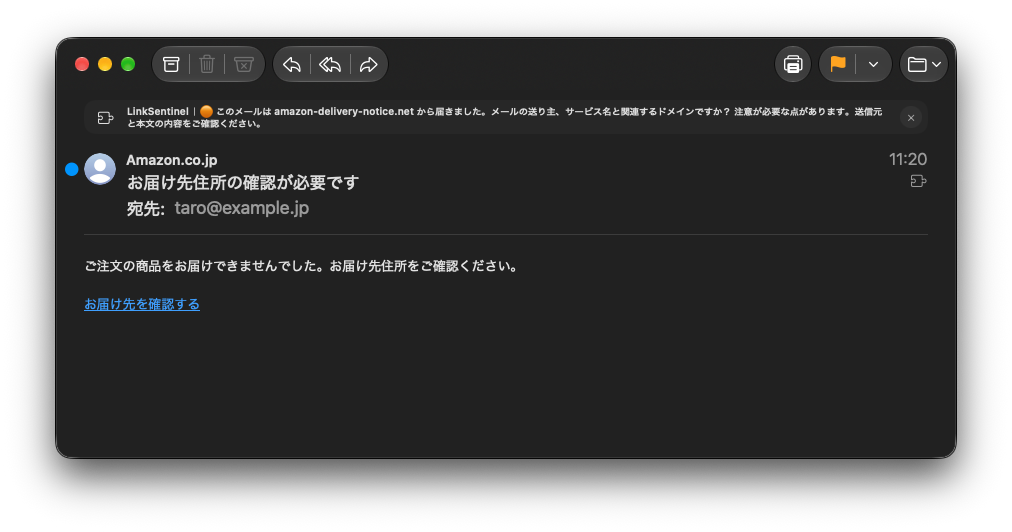
Spoofing the sender (From)
The "From" field of an email is surprisingly easy to fake
Why it can be faked
The email protocol (SMTP) is an old design from the 1980s. Back then the internet was used by academic and research institutions, and "malicious use" was not anticipated. As a result, the sender's address can be set to anything.
Attackers abuse this to make their mail look as if it comes from well-known companies such as "amazon.com" or "apple.com".
The address shown in "From" alone cannot tell you whether a message is genuine.
How senders are verified (sender authentication)
To prevent this kind of spoofing, three sender authentication technologies are used today: "SPF", "DKIM" and "DMARC". They verify that a message was really sent from the domain it claims.
SPF
Sender Policy FrameworkPublishes a list of "the only servers allowed to send mail for this domain". Mail sent from a server not on the list is likely to be fake.
DKIM
DomainKeys Identified MailAdds a digital signature to the message. The receiving side verifies the signature to confirm the message has not been altered.
DMARC
Domain-based Message AuthenticationBased on the SPF and DKIM results, lets the domain owner specify what to do with mail that fails authentication (reject, quarantine or allow).
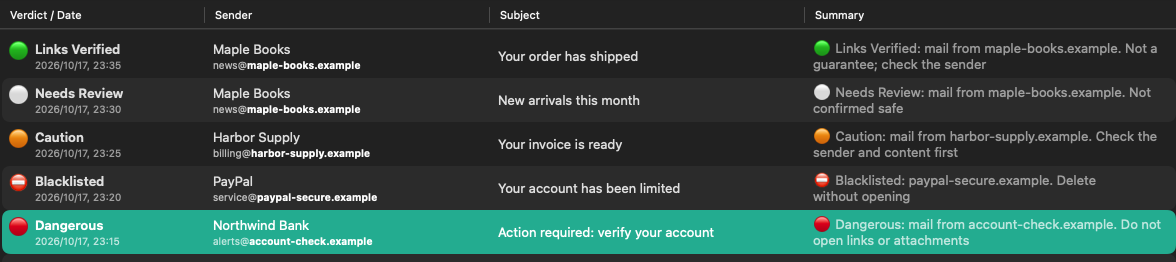
LinkSentinel checks these authentication results automatically and shows them clearly. Only a pass aligned with the sender's domain counts as a pass (a pass for an unrelated domain does not count). Be careful with mail that fails authentication.
Disguising links (URLs)
It looks right, but clicking takes you somewhere completely different
The text you see and the real destination are separate
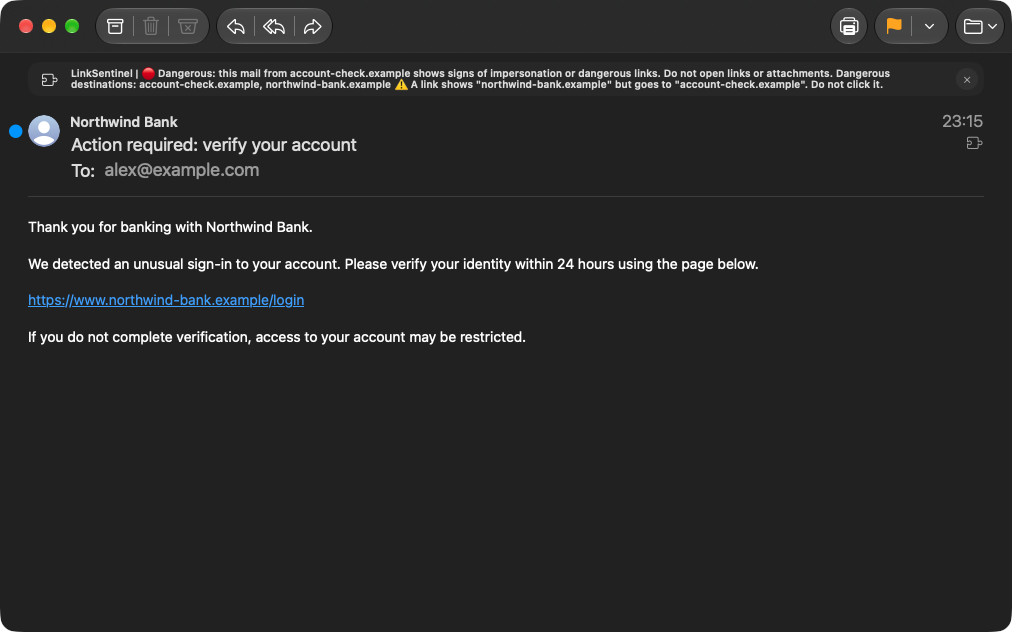
In HTML mail, a link's "display text" and the "URL it actually goes to" can be set independently. Attackers abuse this: the text says "https://amazon.com", but clicking it takes you to a fake site such as "https://amaz0n-security.com" (that's a zero).
https://amazon.com/account/verify
https://amaz0n-security.com/phishing
Clever look-alike domains
Attackers use "look-alike domains" that are hard to tell apart from the real ones. They rely on subtle differences the human eye easily misses.
amazon.com
amaz0n.com
The letter "o" is the digit "0"
paypal.com
paypa1.com
The "l" (lowercase L) is a "1" (one)
google.com
googіe.com
The "l" is the Cyrillic letter "і"
Hiding behind short URLs
Short URL services such as "bit.ly" and "t.co" are sometimes abused to hide the real destination. You cannot tell where you will end up until you click.
https://bit.ly/3xYz123
https://malicious-site.com/steal-password
The HTML mail trap
It looks like plain text, but it is actually HTML mail
Two kinds of email
Email comes in two formats: "plain-text mail" and "HTML mail".
- Plain-text mail: Text only. A displayed URL points to that address, but the destination itself may still be unsafe.
- HTML mail: Can be styled like a web page. A link's appearance and its real URL can be set separately.
HTML mail dressed up as plain text
Attackers sometimes deliberately send "HTML mail that looks like plain text", with minimal styling. Thinking "it's plain text, so it's safe", the reader clicks the URL as written. But because it is really HTML, it takes them somewhere completely different from the URL shown.
Side by side
Plain-text mail (genuine)
Verify your account here:
https://amazon.com/verify
↑ Clicking goes to this URL
HTML mail posing as text (fake)
Verify your account here:
https://amazon.com/verify
↑ Looks the same, but clicking takes you to a fake site
No styling does not mean it is plain-text mail. LinkSentinel analyzes the links in HTML mail automatically and warns you when what is shown differs from where the link really goes.
When legitimate mail needs a closer look
Not every link matches the sender's domain
External links in legitimate mail
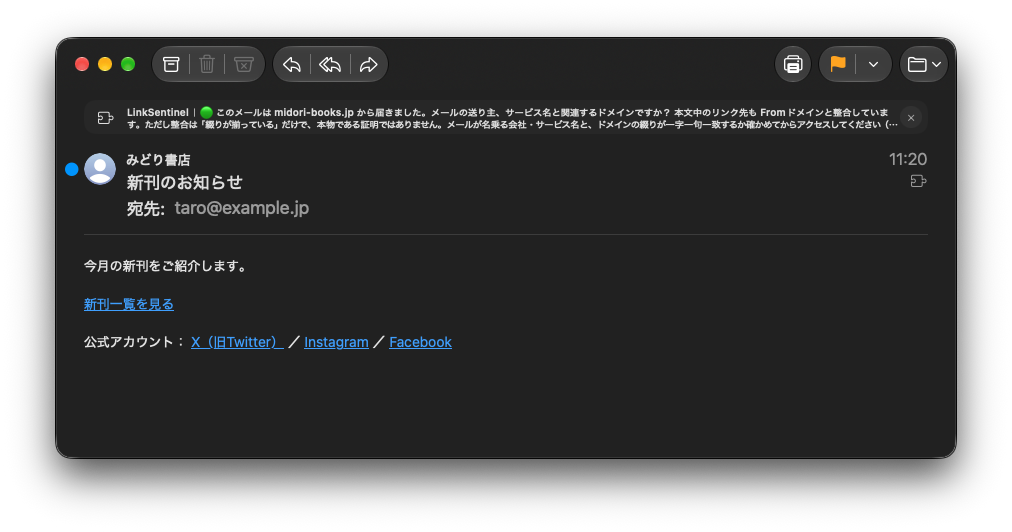
Even in legitimate mail from a company, links like these can point to a domain other than the part after @ in the sender's address (the From domain):
-
Links to official social media accounts
twitter.com, facebook.com, instagram.com and so on
-
Help desk and support systems
Support tools such as zendesk.com and freshdesk.com
-
Survey and form services
typeform.com, surveymonkey.com and so on
-
Links through mail delivery services
May be redirected for click tracking
How to check external links
A different domain does not automatically mean a malicious link. Here is how to check:
Check on the official website
Don't click the link in the message; go to the official website directly in your browser and look for the same information
Check their social media
Use the company's official social media accounts to confirm they really use that service
Check the URL's domain
Make sure the real link destination shown in the Email Analysis History belongs to a service you trust
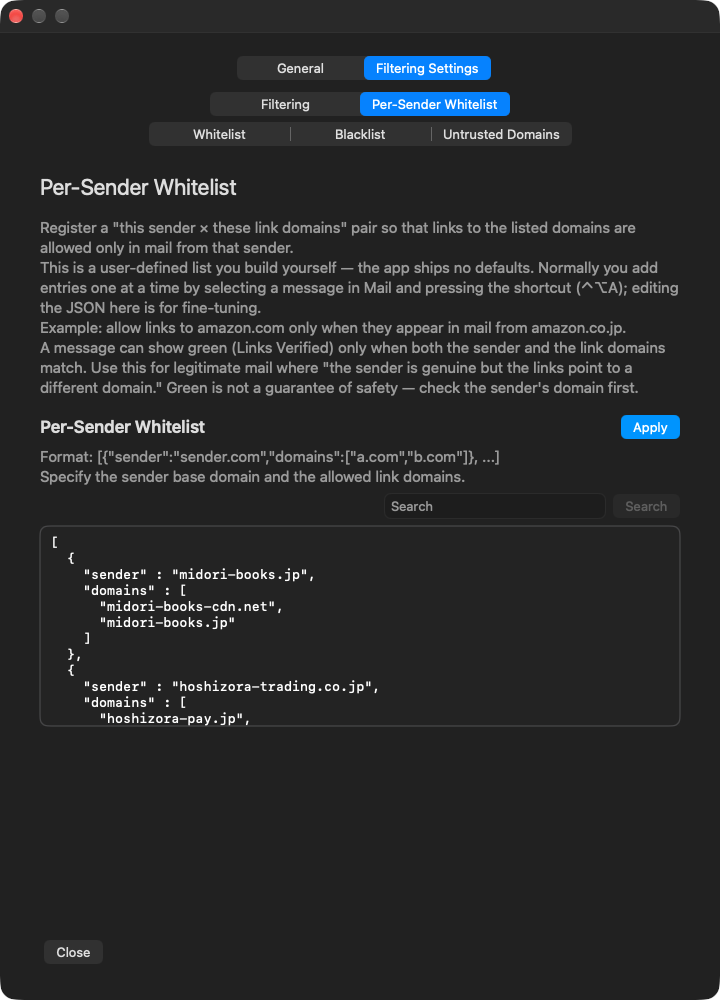
LinkSentinel gives you information to decide with, but it cannot guarantee 100% safety. If anything feels off, don't use the links in the message; go to the official website directly.
How to protect yourself
Don't take the sender at face value
The From field can be faked. Check the sender authentication results
Check links before you click
Make sure the display text matches the real URL and that it is not a look-alike domain
Don't be misled by the format
It may look like text and still be HTML. Check with a tool
Check on the official website
If something feels suspicious, skip the link and go to the official website directly
Let LinkSentinel help you check
It runs the checks above automatically every time mail arrives.
It warns you about dangerous links and shows you clearly what to base your decision on.
Free for 14 days, then a monthly or yearly auto-renewing subscription.